Backup & Restore
Export ตั้งค่าทั้งหมดของแอปเป็น JSON file (เลือกได้ว่าจะรวม API keys หรือไม่) และ restore จากไฟล์ backup กลับมาใช้งาน — เหมาะสำหรับย้ายเครื่องหรือทำ snapshot ก่อนปรับเปลี่ยนค่าใหญ่ ๆ
ทำอะไรได้
- Export ตั้งค่าทั้งหมดเป็น JSON
- เลือกว่าจะ Include API Keys หรือไม่
- Restore จาก JSON file
- Reload หน้าอัตโนมัติหลัง restore
เข้าถึงได้จาก
Settings → Backup tab
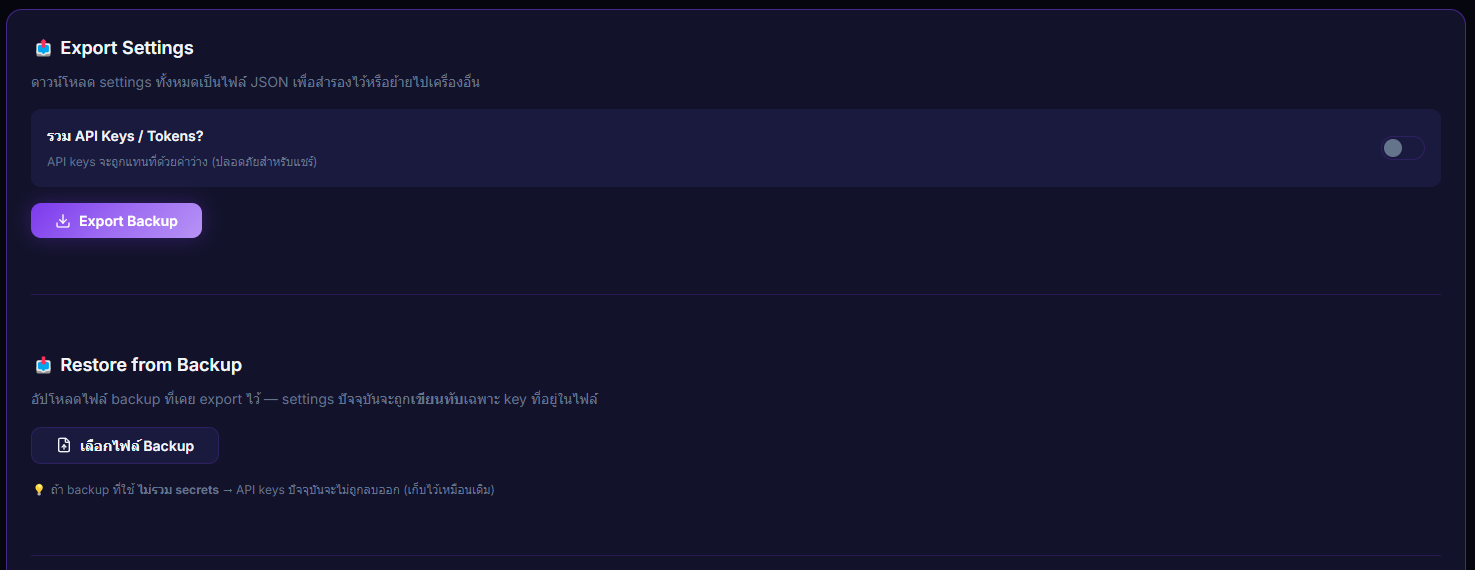
Inputs / ตั้งค่าได้
- "Include API Keys?" toggle (สำหรับ export)
- File upload (.json — สำหรับ restore)
Outputs / สิ่งที่จะเกิดขึ้น
- JSON download (export)
- Restored count + skipped secrets count (restore)
Note: ไม่รวม donation history, alert sound files, overlay images
Use case
ก่อนจะเปลี่ยน TTS provider หรือลอง preset overlay ใหม่ — Export backup ไว้ก่อน ถ้าผลลัพธ์ไม่ถูกใจก็ Restore กลับเป็นค่าก่อนได้ทันทีเหมือนไม่เคยเปลี่ยน หรือเอาไฟล์ JSON ไปใช้บนเครื่องใหม่ก็ได้