Viewer Detail Modal
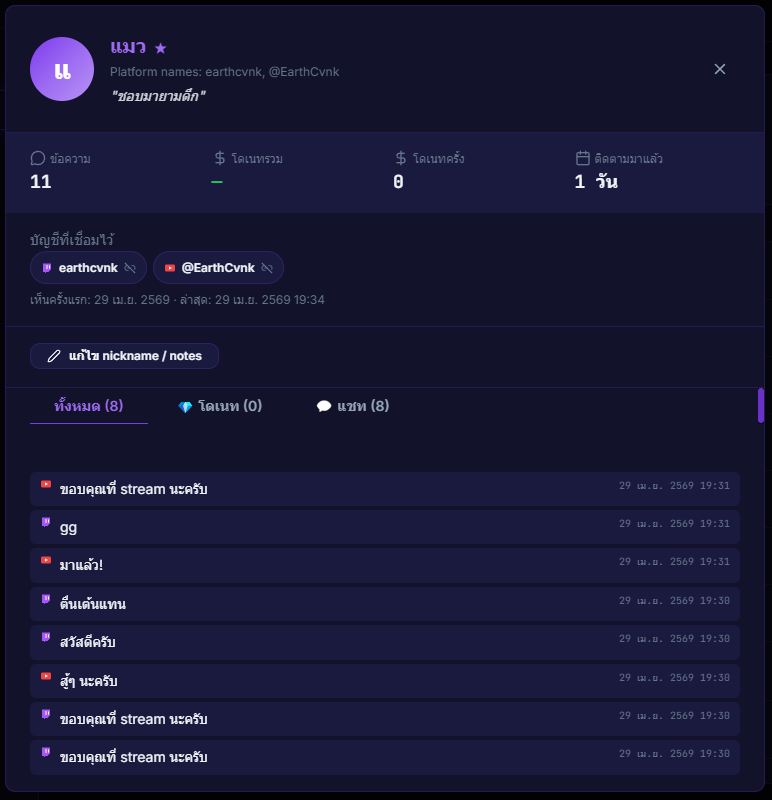
A detail popup for each viewer — shows linked identities, full stats, full activity history (chat + donations), and lets you edit nickname / notes from a single screen.
What it does
- Shows every identity linked to this viewer
- Shows stats — message count, donation count, total donated
- Shows full activity history — chat + donations
- Edit nickname / notes
Where to find it
Click any name in Live Chat / Viewer Manager / History
Use case
Before giving a viewer a shoutout — click their name in chat to open the detail modal, see how much they've donated, how often they chat, and what notes you've kept. Now your shoutout actually feels personal and builds real community.