Pop-out Chat Window
Open the chat feed as a separate window (Electron secondary window) so you can see chat while gaming fullscreen — with an always-on-top toggle to keep chat pinned over the game.
What it does
- Open chat as its own independent window
- Always-on-top toggle to float over fullscreen games
- Auto-scroll, pause, filter by platform all available in the window
- Accessible at the URL
/chat-window
Where to find it
Viewers → Live Chat → Pop out + URL /chat-window
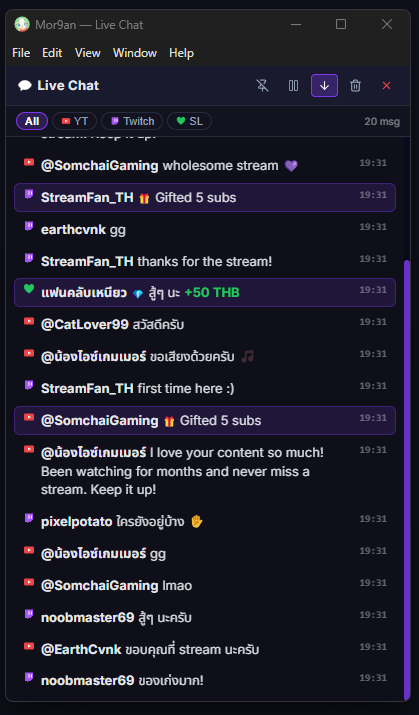
Inputs / configurable settings
- Pin / Unpin (always-on-top)
- Auto-scroll
- Pause
- Filter by platform
Use case
A streamer playing a fullscreen FPS — leave the pop-out chat in a corner of the screen with always-on-top pinned, and chat is always visible without leaving the game or needing a second monitor.