Web Speech API (Free, Browser-based)
Uses your browser/OS's built-in TTS directly — no API key, and the text isn't sent to a cloud TTS provider. Perfect if you want to get started right away or have a tight budget.
What it does
- Uses your browser/OS's TTS for free
- Synthesized in your browser — text isn't sent to a cloud TTS provider
- No API key required
- Great as a backup fallback when other providers fail
Where to find it
Settings → TTS Voice → Provider = Web Speech API
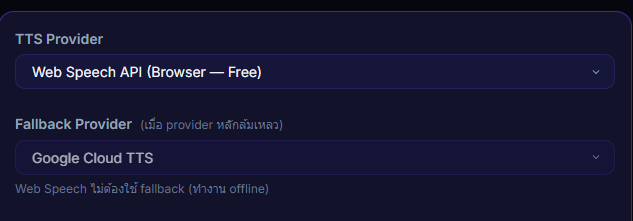
Inputs / configurable settings
- Set the provider to Web Speech API in Settings → TTS Voice
Use case
A new streamer who doesn't want to pay for an API yet — flip on Web Speech and you can start testing donations + TTS immediately. When you're ready to get serious, switch to Google / OpenAI / Gemini for better voice quality.