Gemini Auto-Tone Mode
A special AI feature — Gemini Flash reads each donation message first and automatically picks a voice + tone that matches the mood, so every message gets variety and emotional accuracy in delivery (adds ~500ms latency).
What it does
- Analyzes the mood of each donation with Gemini Flash
- Auto-picks a fitting voice + style
- 4 levels of emotion intensity
- Builds on top of the Gemini TTS provider
Where to find it
Settings → TTS Voice → Provider Gemini → toggle Auto Mode
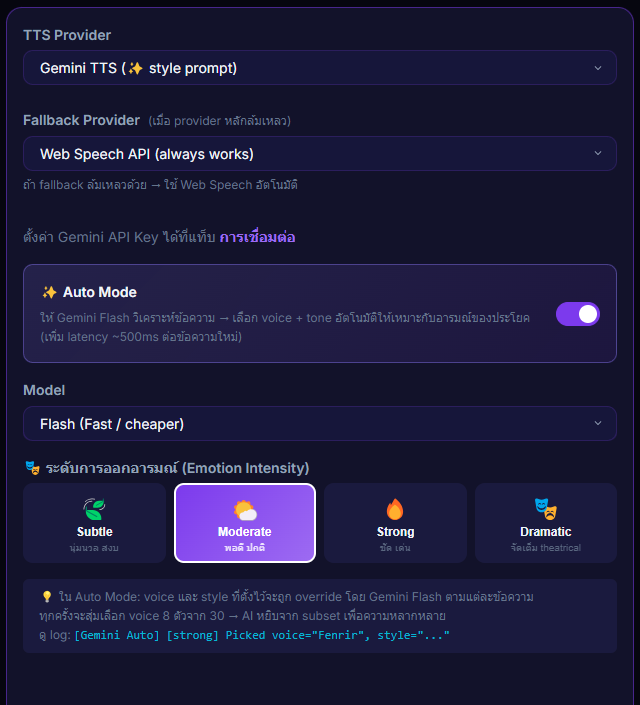
Inputs / configurable settings
- Emotion intensity — Subtle / Moderate / Strong / Dramatic
Outputs / what happens
- Gemini Flash randomizes the voice + style for each message (they can vary every donation)
- TTS reads each one with a tone that fits the message
Use case
A funny donation comes in → AI picks a cheerful voice; a heartfelt "thanks for the stream" near the end → AI picks a warm one. The audience experience feels much more dynamic, and the streamer never has to swap voices manually.