Test Panel
Send mock donations (skipping real connections) to test overlay, TTS, and queue before going live — includes a TTS preview and a pin-overlay feature to help position the overlay in OBS without waiting for real donations.
What it does
- Send a mock donation immediately (skipping real connections)
- Common-amount quick presets: 10 / 50 / 100 / 500 / 1K / 5K
- Pick the test event's source (test / SL / YT / TW)
- TTS preview to test real audio
- Pin overlay — the overlay stays up until unpinned (great for positioning in OBS)
Where to find it
/test (Test Panel)
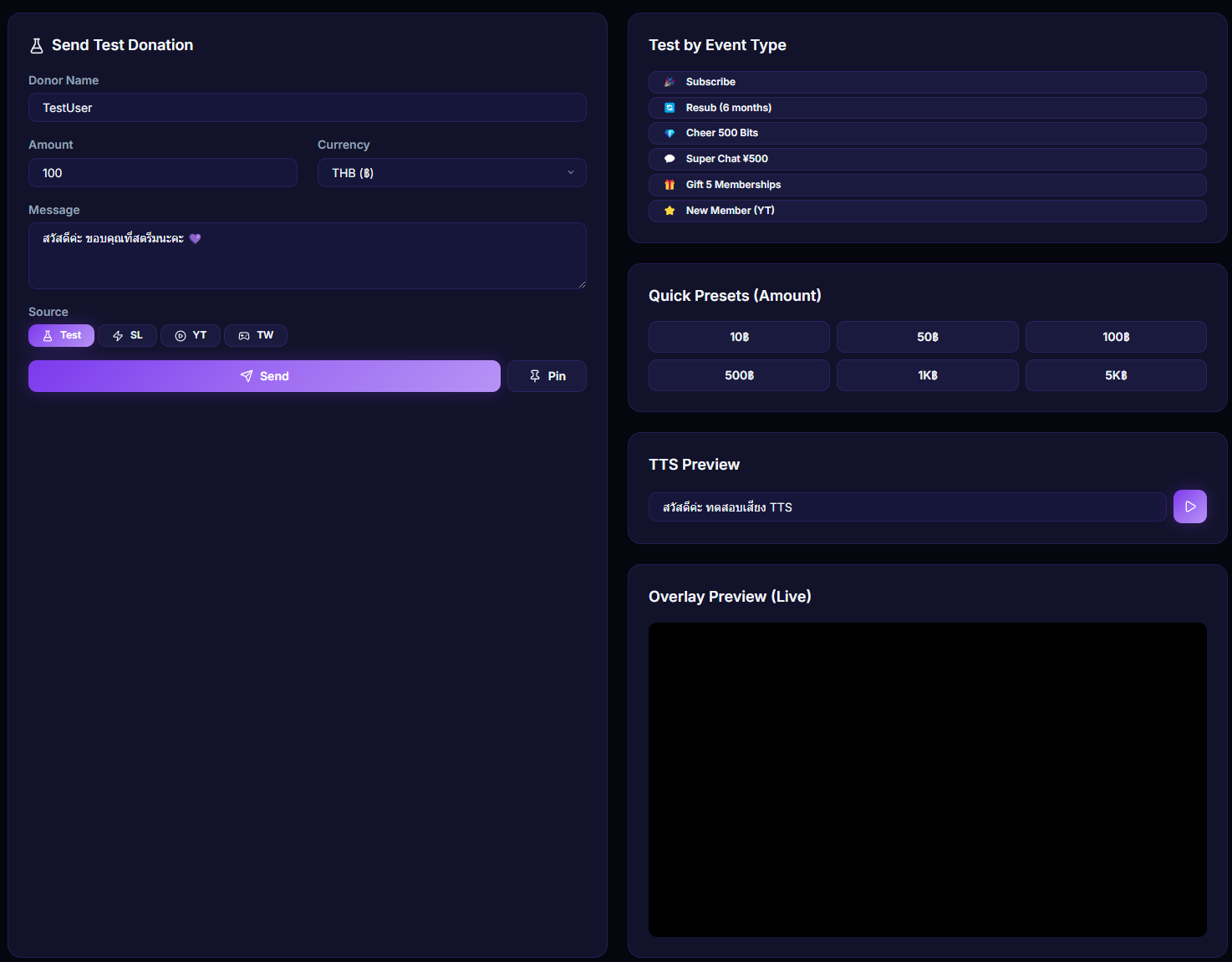
Inputs / configurable settings
- Donor name, amount, currency, message
- Source (test / SL / YT / TW)
- Quick presets (10 / 50 / 100 / 500 / 1K / 5K)
- TTS preview text
Outputs / what happens
- Test donation event sent through the system
- Pinned overlay stays up until unpinned
Use case
First-time setup after configuring OBS — open the Test Panel, hit the 100 preset, and send a test. Confirm the overlay shows in the right spot and TTS reads clearly. Need to reposition? Pin the overlay and drag it around in OBS.