YouTube Live Chat Connection
Connect to YouTube Live through OAuth 2.0 + gRPC streaming to receive Super Chats and live chat messages from your broadcast — Super Chats land in the donation queue, and regular chat flows into the live chat feed.
What it does
- Pull Super Chats → send to the donation queue for TTS + overlay
- Merge regular chat into the unified live chat feed
- One-time OAuth connection, then it just works
- Test Mode lets you treat regular chat as 0-amount donations for pipeline testing
- Quick-connect button on the Dashboard
Where to find it
Settings → Connections → YouTube (click "Connect YouTube" → opens the OAuth popup)
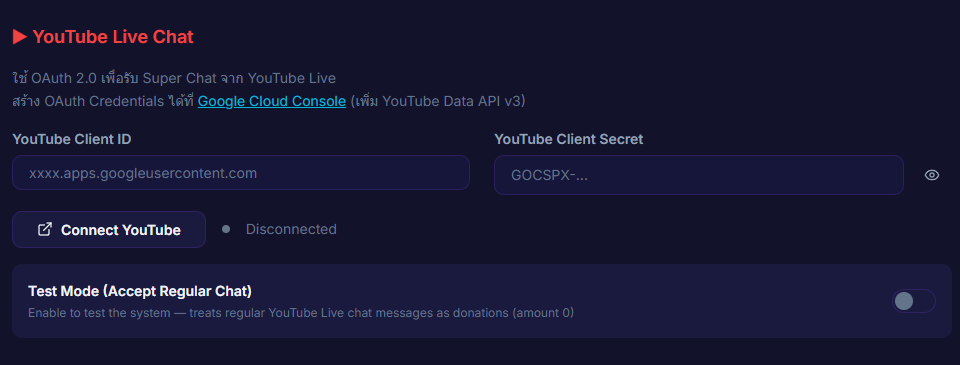
Inputs / configurable settings
- YouTube Client ID — from Google Cloud Console
- YouTube Client Secret — from Google Cloud Console
- OAuth consent — granted via the Google popup
- Test Mode toggle — counts regular chat as 0-amount donations
Outputs / what happens
- Connected status
- Super Chat → donation queue
- Regular chat → live chat feed
Use case
A YouTube Live streamer who wants Super Chats handled by the same pipeline as Streamlabs / Twitch — one connection covers Super Chat for TTS / overlay and unified chat on the Viewers page.