Twitch EventSub Connection
Connect to Twitch via OAuth 2.0 + EventSub WebSocket to receive Bits, Subscriptions, Resubs, and Gift Subs in real time, while pulling chat into the unified live chat feed.
What it does
- Receive Bits / Subscription / Resub / Gift events in real time
- Push events into the donation queue for TTS + overlay
- Merge chat messages into the unified live chat feed
- Uses standard Twitch OAuth 2.0 — secure, no passwords stored
Where to find it
Settings → Connections → Twitch
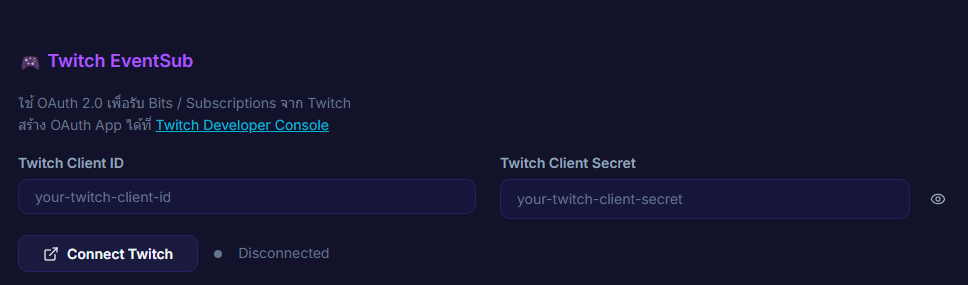
Inputs / configurable settings
- Twitch Client ID — from the Twitch Developer Console
- Twitch Client Secret — from the Twitch Developer Console
- OAuth consent — granted on the Twitch authorize page
Outputs / what happens
- Connected status
- Bits / Sub / Gift events → donation queue
- Chat messages → live chat feed
Use case
A streamer broadcasting on YouTube and Twitch simultaneously who wants every Bits / Sub / Gift to fire the overlay and TTS just like a regular donation — the app folds them into the same queue as your other sources automatically.