Streamlabs Donation Connection
Connect Streamlabs or tipme.in.th to the app via a Socket Token to receive donation events in real time, then push them into the queue for TTS and overlay automatically. Especially handy for Thai streamers using tipme.in.th as their main donation channel.
What it does
- Receives donation events from Streamlabs / tipme.in.th in real time via the Socket API
- Pushes donations into a unified queue for TTS playback and overlay display
- Shows connection status (Connected / Disconnected) via a status dot
- Runs alongside other sources (YouTube / Twitch) at the same time
Where to find it
Settings → Connections → Streamlabs
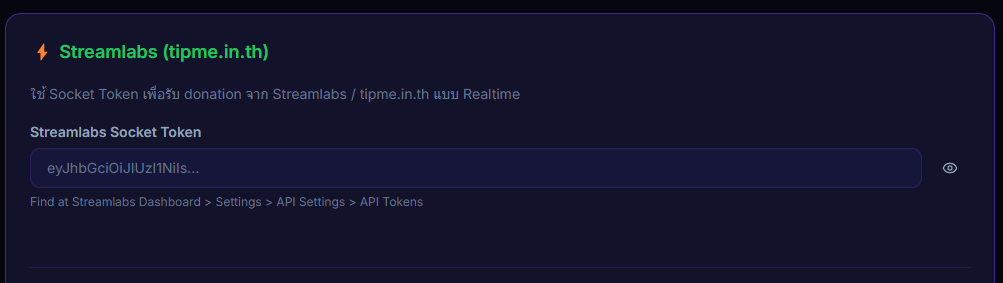
Inputs / configurable settings
- Streamlabs Socket Token — the JWT-style token from the Streamlabs API Settings page
Outputs / what happens
- Connected / Disconnected status (status dot)
- Donation events flow into the queue automatically and forward to TTS + overlay
Use case
A streamer using tipme.in.th as their main donation source — paste the Socket Token into Settings → Connections and you'll see donations entering the queue immediately, with no extra OAuth setup. Especially useful for Sub-a-thons where you want every donation source feeding into the same pipeline.