Overlay Styling
Customize every detail of the overlay — pick from 10 fonts (including Thai), tweak colors and opacity, set borders, change donor name and amount colors, pick an animation and display duration, all with Live Preview updating in real time.
What it does
- Choose from 10 fonts including Thai-compatible options
- Adjust font size / color / weight
- Tweak bg color / opacity
- Set border color, width, radius
- Separate colors for donor name and amount
- Pick animation: slide / fade / bounce / zoom / none
- Set display duration
- Live Preview updates in real time (Pin to keep visible)
Where to find it
Settings → Overlay tab + Live Preview (Pin to keep visible)
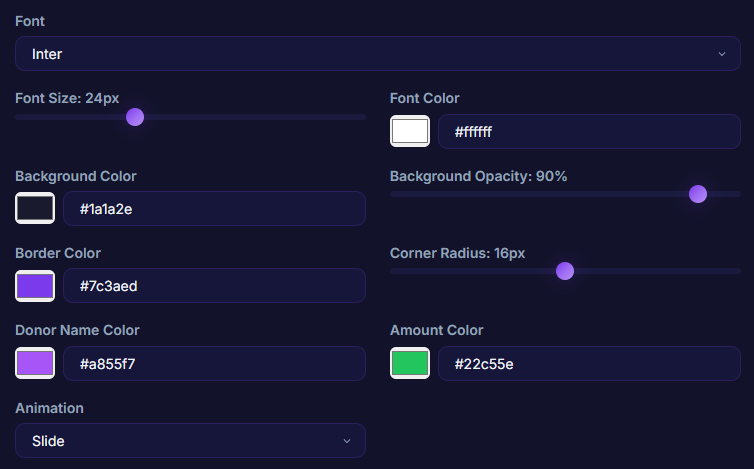
Inputs / configurable settings
- Many fields — color pickers, sliders, dropdowns for font / color / border / animation / duration
Use case
A streamer who wants the overlay to match their channel theme (say, pastel pink) — adjust donor name color, amount color, border, and background to match their palette exactly, with Live Preview pinned for instant feedback.