Overlay Image / GIF
Upload an image or GIF into the overlay so your alert has personality — your channel mascot, a character animation, whatever. Supports multiple formats with full position and size controls.
What it does
- Supports PNG / JPG / GIF / WebP / SVG
- Set position — left / right / top / bottom
- Adjust size
- Set padding around the image
Where to find it
Settings → Overlay → Overlay Image / GIF section
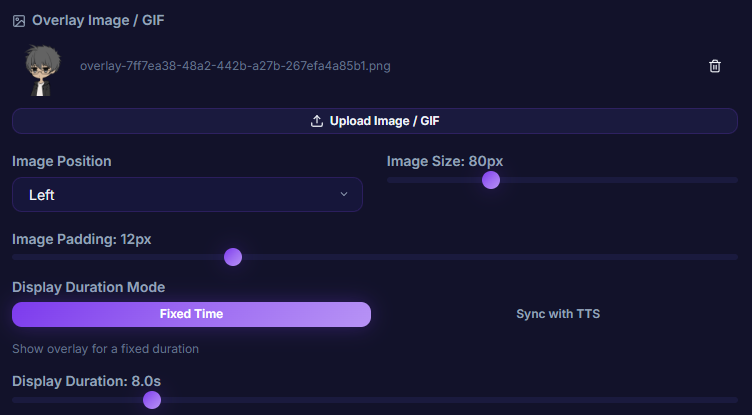
Inputs / configurable settings
- Image / GIF file (PNG / JPG / GIF / WebP / SVG)
- Position — left / right / top / bottom
- Size
- Padding
Use case
A VTuber streamer who wants their character popping in for laughs on each donation — upload a GIF of yourself waving, position it on the right at a good size, and your alert has a cute character animation every time, adding charm to the stream.