Alert Sound Tiers (by Donation Amount)
Set different alert sounds based on donation amount — e.g. ≥฿100 plays sound A, ≥฿500 plays sound B. The rule is "highest matching tier wins" — the tier with the highest threshold that the donation clears always plays.
What it does
- Different sounds at different amount thresholds
- Highest matching tier wins rule
- Add as many tiers as you want (e.g. 100 / 500 / 1000)
- Works alongside the regular event mapping
Where to find it
Settings → Alert Sounds → Sound by Amount section
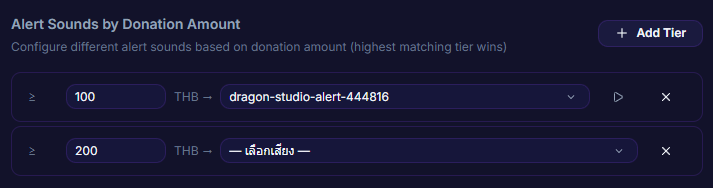
Inputs / configurable settings
- Array of
{ minAmount, soundId }— each tier specifies a minimum amount and the sound to play
Use case
A hype-style streamer who wants big donations to feel bigger — tier 100 = a small "pop", 500 = a fanfare, 1000 = full fireworks. Viewers feel the donation's scale just from the sound.