Alert Sounds (per-event mapping)
Upload sound effects as .mp3 / .wav / .ogg / .m4a and map them to specific event types — donation, superchat, bits, subscribe, resub, gift, or use one as the Default fallback.
What it does
- Supports .mp3 / .wav / .ogg / .m4a files
- 10 MB max per file
- Map to event types: donation / superchat / bits / subscribe / resub / gift
- Set a Default fallback
Where to find it
Settings → Alert Sounds tab
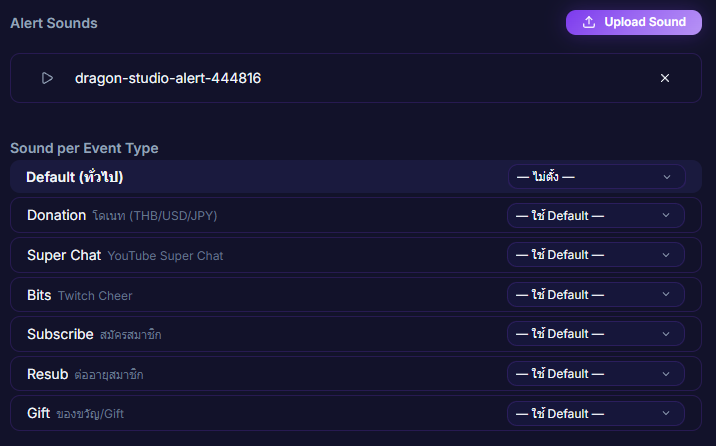
Inputs / configurable settings
- Sound files (≤ 10 MB)
- Event-to-sound mapping table
Use case
A streamer who wants Subs and Bits to sound different — upload an "explosive bang" for Bits, a "fanfare" for Subs, and map them once in the table. Viewers immediately know which event just landed just from the sound.