Min Amount / Message Length Filter
Set how big a donation has to be before TTS reads it or an alert sound plays, and cap the maximum length of the TTS message so it doesn't drag on forever.
What it does
- Set the minimum donation for TTS (THB)
- Set the minimum donation for alert sounds
- Cap the maximum message length TTS will read (chars)
- Donations below the threshold are skipped — no read, no alert
Where to find it
Settings → TTS tab (bottom) and Settings → Alerts (alertMinDonation)
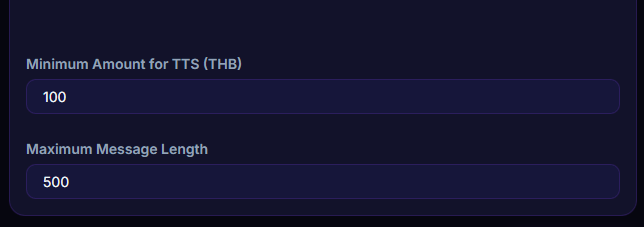
Inputs / configurable settings
ttsMinDonation— minimum amount for TTS (THB)ttsMaxMessageLength— max message length (chars)alertMinDonation— minimum amount for alert sounds
Outputs / what happens
- Donations below the threshold skip TTS / alert
- Messages longer than max length get truncated
Use case
A streamer who doesn't want TTS reading every ฿1 micro-donation — set ttsMinDonation = 20 and only donations of ฿20+ get read. Smaller donations still pop the overlay normally without cluttering the TTS queue.